Understanding Zaruni Transaction Locks & Settlement Coordination
A complete guide on how transaction locks work, when ledger balances are held, and how to safely buy and sell using Zaruni's secure digital ledger.
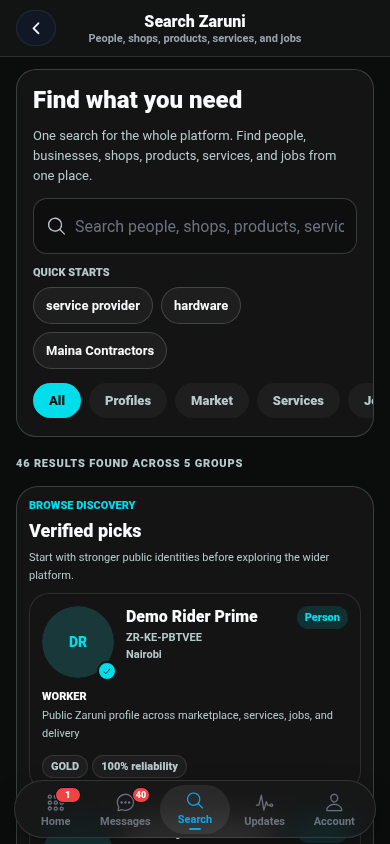
At the core of the Zaruni super-app is our commitment to secure, trust-enforced local commerce. When buying goods, booking service providers, or hiring gig workers, transaction settlements should never feel like a gamble. That is why Zaruni utilizes a Locked Transaction & Settlement Coordination System where transaction states are coordinated on a digital ledger, ensuring funds held by our licensed payment partners are only settled when the job is done or the item is successfully delivered.
In this guide, we break down exactly how transaction locks work, the steps involved for both buyers and sellers, and how to use it to ensure a smooth, worry-free transaction.
What is a Transaction Lock and How Does It Protect You?
A transaction lock is a state coordination arrangement where the platform coordinates ledger states, and our licensed payment partners secure the transaction funds until both the buyer and the seller fulfill their ends of the agreement.
- For Buyers: You don’t have to worry about paying in advance and having the seller disappear. Your transaction is only settled to the seller after you confirm receipt or completion.
- For Sellers: You can work or prepare orders with confidence, knowing the buyer’s payment commitment is secured under a transaction lock by our licensed partners and is guaranteed to be settled once you deliver.
This eliminates the risk of upfront payment scams (which are common in traditional social media classifieds) and ensures a fair, balanced process for everyone.
Step-by-Step: The Settlement Coordination Lifecycle
Every secure transaction on Zaruni follows a structured sequence:
[Buyer Pays] ──> [Transaction Lock Applied] ──> [Seller Delivers] ──> [Buyer Confirms] ──> [Ledger Settled]1. The Agreement & Order Creation
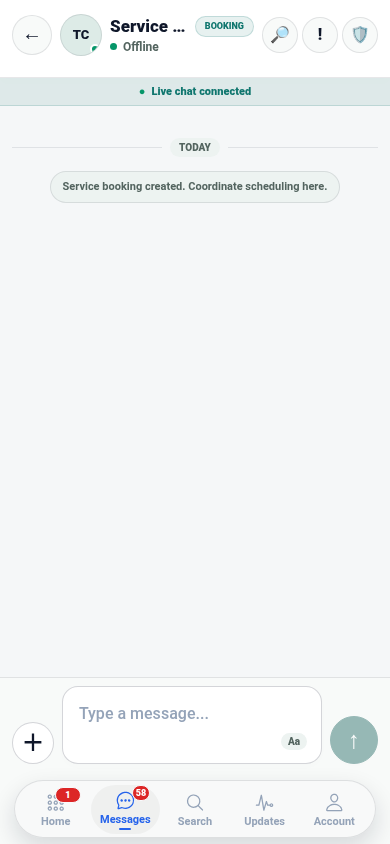
A transaction begins when a buyer places an order in the Marketplace, books a service, or hires a provider for a Job. The terms, price, delivery details, and milestone specifications are set and accepted by both parties.
2. Securing the Funds (Commitment)
The buyer pays the agreed amount using their Zaruni Ledger Balance (which is topped up via mobile money handled by our licensed partners).
- The Status: The funds are debited from the buyer’s active balance and marked as Locked.
- The Safeguard: Neither the buyer nor the seller can access these funds during this phase. They are locked securely by our licensed payment partners, coordinated via the Zaruni ledger.
3. Order Fulfillment & Progress
The seller or service provider receives a notification that the order is funded. They can proceed with shipping the items, booking a rider, or commencing work, knowing the payment is secured.
- For Jobs: If the job has multiple milestones, the funds can be released incrementally as each milestone’s proof of completion is approved by the employer.
4. Delivery & Verification
When the items are delivered or the service is complete, proof is uploaded to Zaruni.
- QR Code Proof: For physical deliveries, a unique secure QR code is scanned by the courier or seller to prove the handoff occurred.
- Inspection: The buyer inspects the goods or reviews the completed service.
5. Final Release
Once satisfied, the buyer clicks Confirm Delivery or Approve Completion in the app.
- Payout: The locked transaction is settled, updating the seller’s Zaruni Ledger Balance, where they can initiate a payout to M-Pesa via our licensed partners.
When Things Don’t Go as Planned: Dispute Resolution
If there is a disagreement—such as the item being damaged, the service not meeting the agreed scope, or the seller failing to deliver—either party can raise a dispute before the funds are released.
- Hold Extension: The locked status remains active until the dispute is resolved.
- Mutual Agreement: We always encourage buyers and sellers to communicate through Zaruni Chat to find an amicable resolution (e.g., partial reversal or replacement).
- Support Arbitration: If an agreement cannot be reached, the Zaruni Dispute Resolution Team steps in. We analyze the chat history, uploaded completion proof, delivery QR scans, and photos to make a fair determination and process reversals accordingly.
Key Best Practices for Complete Protection
To ensure your money is 100% protected, always follow these rules:
- Never Pay Off-Platform: If a seller or service provider asks you to send transaction funds directly via M-Pesa outside the app, decline the request. Off-platform transactions bypass Zaruni’s transaction lock and cannot be recovered or moderated by our support team.
- Verify Before Confirming: Do not click “Confirm Delivery” until you have physically inspected the item or verified that the service has been fully performed. Once you confirm, the funds are released to the seller, and the transaction is closed.
- Keep Communication in Zaruni Chat: Our arbitration team can only review chat history, order logs, and attachments that exist within the Zaruni app. Keeping all coordination in the app ensures a bulletproof paper trail.
Ready for a safer way to trade locally? Keep your next transaction protected inside the Zaruni app.