Zaruni Deliveries: Rider Guide to Package Handoff and Proof of Delivery
A complete guide for Zaruni riders on managing pickups, handling packages safely, and completing deliveries with verified QR codes.
As a Zaruni Rider, you are the vital connection between local sellers and buyers. Your efficiency and professionalism determine the success of our local marketplace. Because Zaruni handles high-value transactions coordinated via transaction holds, we rely on riders to act as trusted agents during package pick-up and drop-off.
To ensure your deliveries go smoothly and you get paid instantly for your service, follow this comprehensive guide to package handoffs and proof of delivery.
1. Getting Started: Becoming a Verified Rider
To start receiving delivery jobs on the Zaruni network, you must complete rider onboarding:
- Register in the App: Select the “Rider” role during profile setup.
- Submit Verification Documents: Upload your valid driving license, national ID, and vehicle registration (logbook) or insurance cover.
- Transit Container Check: You must use a secure, weatherproof transit container (delivery box or backpack) to protect packages from dust and rain.
- Onboarding Approval: Once our operations team reviews your documents, your profile will display the Verified Rider badge, and you will begin receiving real-time delivery requests.
2. Accepting Jobs and the Pickup Checklist
When a seller requests a delivery, the closest verified riders receive a notification showing the pickup location, delivery destination, and delivery fee.
At the Pickup Location:
Before taking the package from the seller, run this checklist:
- Inspect the Packaging: Ensure the item is securely wrapped. Do not accept unpackaged fragile items or unsealed boxes containing loose products.
- Verify Recipient Details: Confirm that the package label matches the customer’s name and order ID shown in your app.
- Confirm Pickup in App: Once you take the package, tap Confirm Pickup. This locks the order and sends a notification with your real-time tracking link to the buyer.
3. During Transit: Safety and Tracking
While you are carrying a package, the buyer and seller can see your progress on a real-time GPS map.
- Drive Safely: Avoid sudden maneuvers that could damage fragile items. Keep the package upright inside your delivery container.
- Keep App Active: Ensure your phone’s location services are turned on and the Zaruni App has permission to run in the background. If you lose connection, update the client via the in-app chat.
- In-App Chat: If you run into traffic delays or have trouble finding the delivery address, use the built-in call or chat feature. Avoid using personal channels so our dispatch team can support you if needed.
4. The Handoff: Verification via QR Code
The handoff is the most critical step of the delivery process. To prevent fraud, Zaruni requires a secure digital handoff.
[!IMPORTANT] Never hand over the package without scanning the Handoff QR Code.
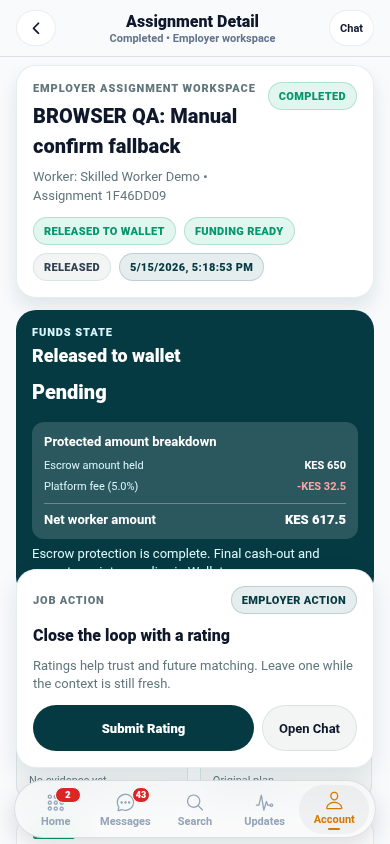
The QR code is the only acceptable proof of delivery. When you scan the buyer’s QR code (or when they scan yours), it confirms to our server that the physical handoff has occurred. This automatically releases your delivery fee to your ledger balance and updates the order status to “Delivered”.
Step-by-Step Drop-Off:
- Locate the buyer and greet them.
- Let Them Inspect: Hand them the package to open and inspect. They have the right to check that the item is not broken and matches what they bought.
- Open the QR Code: Once they confirm the item is correct, tap Complete Delivery in your app to show your QR code, or ask them to show their receipt QR code.
- Scan and Complete: Scan the code. Your delivery fee will be instantly credited to your ledger balance, and you are ready for the next job!
5. Handling Issues and Returns
Sometimes deliveries don’t go as planned. Here is how to handle common problems:
The Recipient is Not Available:
- Try calling them in the app.
- Wait at the location for at least 10 minutes.
- If they cannot be reached, coordinate with the seller to return the package. Tap Initiate Return in the app to track the return trip. You will still be compensated for the delivery attempt.
The Buyer Rejects the Package:
- If the buyer inspects the package and refuses to accept it (e.g., it is damaged or incorrect), do not scan the QR code.
- Tap Delivery Rejected in your app, select the reason, and return the item to the seller.
- The system will automatically log the dispute and handle rider return compensation.
By following these protocols, you ensure your safety, protect your reputation score, and guarantee instant payouts on the Zaruni platform. Ride safe!