How to Top Up, Claim Payouts, and Manage Ledger Balances
A step-by-step guide to using your Zaruni digital transactional ledger, managing your balance, initiating M-Pesa top-ups, and processing payouts safely.
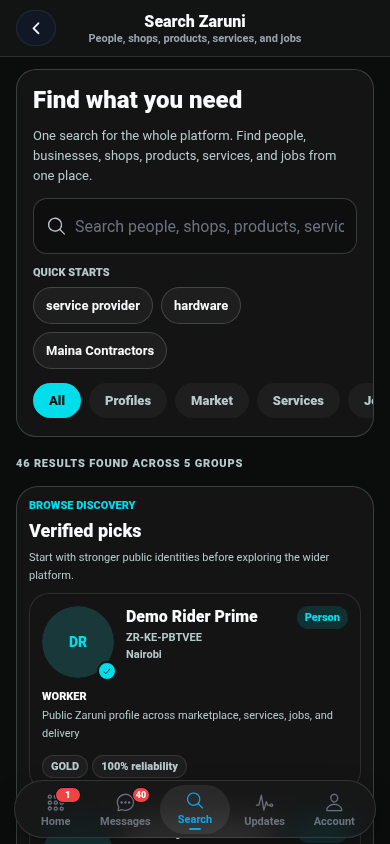
The Zaruni digital transactional ledger is the hub of your super-app experience. It allows you to track transactions for marketplace goods, hire professionals, receive earnings, and settle delivery costs securely. Coordinated with bank-grade security alongside our licensed payment partners, the ledger provides a smooth, frictionless experience for everyday buyers and local entrepreneurs.
In this guide, we walk you through how to top up your balance, claim your payouts, understand transaction fees, and keep your ledger balance secure.
1. How to Top Up Funds on Your Zaruni Ledger
To book services or coordinate transactions, you need to have an active balance in your digital ledger. The most common and convenient way to top up your ledger balance in Kenya is via M-Pesa STK Push or Paybill, processed by our licensed partners.
Option A: M-Pesa Express (STK Push) - Fastest
- Open the Zaruni app and navigate to the Ledger tab.
- Tap on the Top Up button.
- Enter the amount you wish to top up (in KES).
- Enter or confirm your active M-Pesa phone number.
- Tap Proceed.
- You will receive an automatic M-Pesa prompt on your phone screen asking for your M-Pesa PIN.
- Enter your PIN and press Send.
- Once Safaricom and our payment partners verify the transfer, the corresponding balance will reflect in your Zaruni ledger balance instantly.
Option B: Card Payments
For international cards or credit card top-ups, processed securely by our licensed gateway partners:
- Tap Top Up in the Ledger tab.
- Select Debit/Credit Card.
- Enter the top-up amount and fill in your card details securely.
- Complete the 3D-Secure authentication required by your card issuer.
- Your ledger balance will update immediately upon successful transaction clearance from our payment gateway partners.
2. How to Claim Payouts to M-Pesa or Bank Account
As a seller, service provider, or freelancer, your transaction records accumulate in your Zaruni digital ledger. You can request to disburse these ledger balances as a payout to your personal mobile money balance or bank account at any time, processed by our licensed payment partners.
Claiming Payout to M-Pesa
- Navigate to the Ledger tab and tap Claim payout.
- Select M-Pesa as your payout method.
- Enter the amount you wish to claim.
- Confirm the recipient phone number (this must match your registered M-Pesa name for safety).
- Tap Confirm Payout.
- Payouts are typically processed and transferred to your M-Pesa account by our licensed payment partners within a few minutes.
Claiming Payout to a Bank Account
- Tap Claim payout in the Ledger tab.
- Select Bank Transfer.
- Choose your bank from the supported list (e.g., KCB, Equity, Co-op, NCBA).
- Enter your account number and the payout amount.
- Review the details and submit. Bank payouts are processed by our licensed payment partners during standard clearing windows (typically within 2 to 24 hours depending on the bank and EFT/RTGS schedules).
3. Transaction Limits and Processing Fees
To keep the platform running securely and cover network infrastructure costs, a small, transparent fee structure applies to transactions:
| Action | Fee | Processing Time |
|---|---|---|
| M-Pesa Top Up | Free / Operator rates | Instant |
| Ledger-to-Ledger Transfer | Free | Instant |
| Locked State Settlement | 1.5% - 2.5% platform fee | Instant |
| Payout to M-Pesa | Standard carrier payout fee | 1 - 5 Minutes |
| Payout to Bank | Flat bank processing fee | 2 - 24 Hours |
Note: The transaction limits comply with mobile money guidelines. The maximum ledger balance and daily transaction limits correspond to your account verification tier.
4. Keeping Your Ledger Safe
Your ledger security is our top priority. Always follow these guidelines to keep your funds safe:
- Set a Strong PIN / Biometrics: Secure the Zaruni app with a strong passcode or biometric authentication (Fingerprint or Face ID). Never share your Zaruni credentials or M-Pesa PIN with anyone.
- Verify SMS Notifications: Zaruni will never ask you for confirmation codes (OTPs) over the phone. Any change in your ledger status will trigger an official, encrypted notification inside the app and an email alert.
- Watch Out for Fraudulent Accounts: Only top up and coordinate transactions directly through the Zaruni app’s guided steps. If anyone shares a personal Paybill or phone number via chat and claims it is “Zaruni’s official backup top-up line,” ignore it and report them immediately.
- Keep Your Phone Number Updated: Since mobile money payouts are bound to your registered number, keep your phone active and notify support immediately if you change your line.
Need assistance with a pending transfer? Contact Zaruni Support directly from the app, referencing your Transaction ID.