How to inspect an item before paying
A buyer checklist for checking product details, seller context, delivery proof, and payment records before committing.
Buying locally is easier when you slow down at the right moments. A few checks before payment can prevent confusion later, especially when the item is expensive, fragile, used, or being delivered by someone else.
Zaruni helps by keeping listings, messages, delivery status, proof, receipts, and support context connected. The buyer still needs to review the item and confirm that the agreement is clear.
Start with the listing
Read the product title, description, price, photos, stock status, and fulfilment details. If the listing is vague, ask for clarification before the order moves forward.
Useful questions include:
- Is this the exact item I will receive?
- Is the price final, or are delivery and service costs separate?
- Is the item new, used, refurbished, or custom?
- What accessories or parts are included?
- What happens if the item is not available?
Check the seller context
Look at the shop profile and any visible trust signals. A complete profile does not guarantee a perfect transaction, but it gives you more context before you commit.
If a seller asks you to move the conversation away from Zaruni before the transaction is clear, pause and review the risk. Keeping the conversation inside Zaruni gives support a better record if something goes wrong.
Ask for proof when it matters
For high-value or condition-sensitive items, ask for proof that matches the item. A useful photo or note should show the item, condition, and any specific detail you care about.
Examples:
- Serial number or model where relevant.
- Size, color, or variant.
- Condition of used goods.
- Packaging or included accessories.
- Pickup or delivery readiness.
Confirm delivery or pickup details
Before payment, confirm where and how the handoff will happen. The delivery or pickup agreement should be clear enough that both sides understand the next step.
Confirm:
- Delivery point or pickup location.
- Recipient name or contact.
- Expected delivery time.
- Who pays delivery cost.
- What proof will be captured at handoff.
Review payment state before handoff
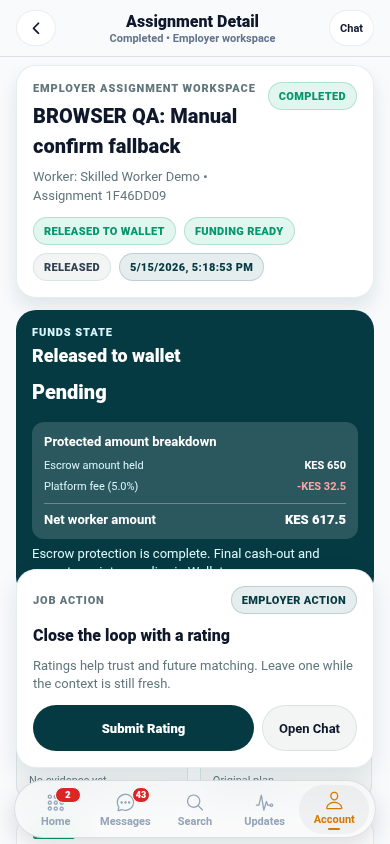
Do not rely only on a screenshot or a message saying payment happened. Use the receipt or payment status available in the workflow where possible.
If payment state is unclear, wait until it is resolved before accepting handoff, releasing an item, or marking the transaction complete.
If something does not match
Do not rush to complete the transaction. Explain what does not match, attach relevant proof, and keep the conversation inside Zaruni. If the issue cannot be resolved directly, open support with the order, payment, delivery, or proof context attached.
Quick buyer checklist
Before paying, make sure you can answer:
- What exactly am I buying?
- Who am I buying from?
- What is included in the price?
- How will delivery or pickup happen?
- What proof will exist if there is a problem?
- Where is the receipt or payment record?
Ready to keep local buying clearer? Download Zaruni.